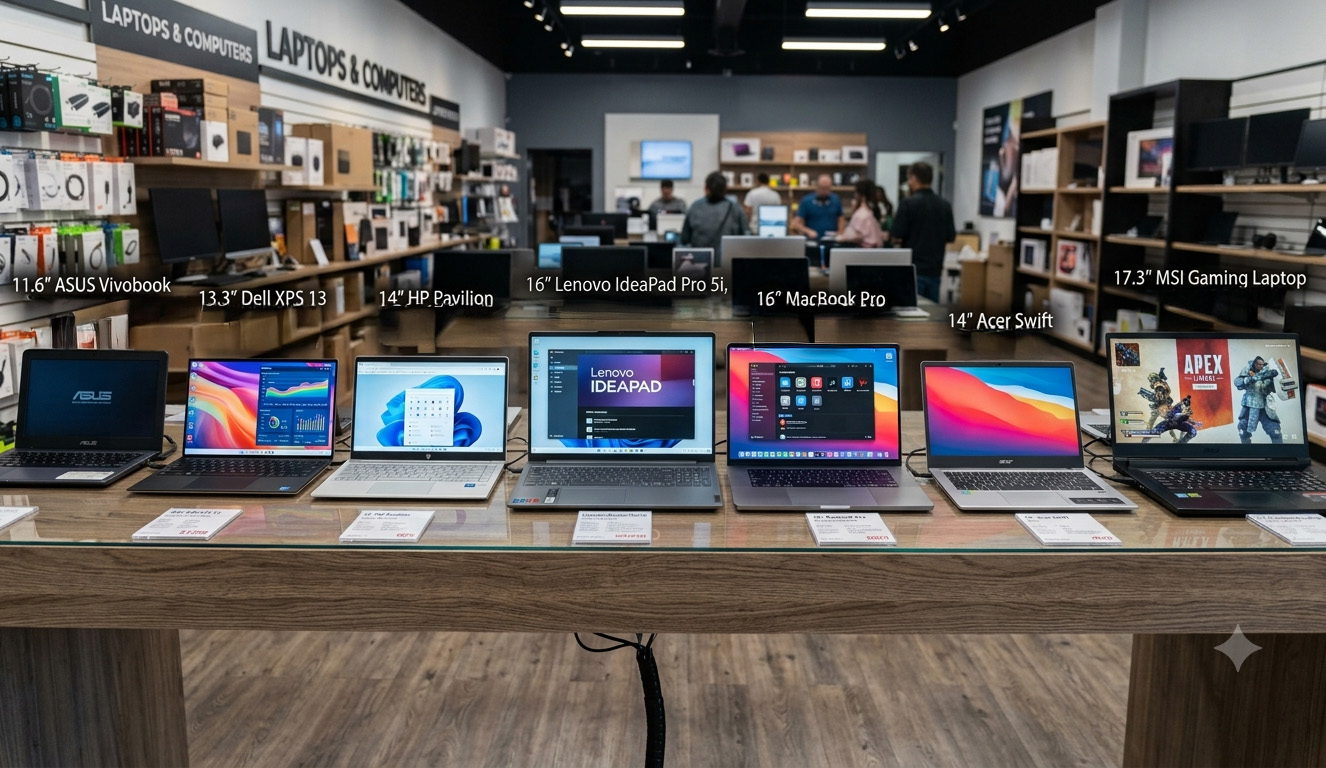
Shopping for a new laptop computer? Be prepared for sticker shock and, depending on what you choose, an amazing performance and viewability improvements.
My 7-year-old Windows 10 laptop crashed in May. After restarting it multiple times, it “healed” itself. It was slow, but useable again. Due to the laptop’s age and the inability to update some drivers, I had already been thinking of getting a new one. I just hadn’t taken the time to start looking for one yet.
The Best Way to Choose a New Laptop or Computer
If you do more than read email and browse the web, computer specs that were optimal 5 to 7 years ago are likely to be inadequate today.
Normally, therefore, when I need a new computer, I start by determining the latest recommendations for speed, hard drive storage, and memory for the type of work I do. Camera and microphone specifications are important, too, for anyone who does a lot of video conferences or calls or who wants to avoid typing by using voice to text features of their computer.
With those requirements in mind, I start comparing prices and reviews. (If you start price shopping before you understand your power, memory, storage and graphic needs, you may wind up with a computer that you’re not happy with for very long.)
When I’m shopping for a new laptop or desktop, most of the time I do a lot of “window shopping” online. I look to see what brands have the features I need, what the pricing is in retail stores and on Amazon. (affiliate link).
I prefer to make the purchase locally, though. So, once I’ve narrowed down my choices a bit, I head for local retailers to look over the laptops.
There are several reasons.
- First, I want to actually see what the laptop screen looks like and feel the keyboard to see if it’s comfortable to use.
- Second, if I have questions about which machine to choose, I like to talk to a live salesperson.
- Third, if the computer needs repair in the future, I want to be able to bring it into a store to be fixed instead of mailing it away.
- Finally, by purchasing locally, I figure I’m helping retain local jobs and helping the local economy.
Buying a Computer Without the Research
Usually, I follow my own advice when I’m buying a new laptop or desktop. But this time I didn’t.
Because I bought a new desktop computer about a year ago, I did know I’d need a laptop with a high-end processor, dedicated graphics card, and a lot of RAM and storage. I rarely need to operate my laptop for more than a few hours on battery power, so battery life wasn’t part of my considerations.
But since my old laptop was still limping along, I had decided to wait a little longer to start looking for a replacement.
Then one day I went to Costco to pick up some household items. I had to walk past the computer section to get to the things I needed. As I walked by the laptops display, a Lenovo IdeaPad 5i Pro caught my eye. It had a bright, clear screen that was taller than most of the other laptops on display. The taller screen allows you to see more lines of a document at a time – something I value as a writer and editor.
I moved closer to read the specs. I saw it had a newer processor than my desktop, that the dedicated graphics card had the kind of power I needed. The RAM and SSD hard drive were what I knew I’d want, too.
Skyrocketing Computer Prices
Then I looked at the price tag, which I had been ignoring.
Sticker shock!
AI-driven shortage of memory and storage components has caused computer prices to soar. And it’s a shortage that’s predicted to last for some time.
The laptop I was looking at was about double what I had paid for the 7-year-old, Windows 10 laptop, which was high-end at the time I bought it.
When I glanced at similarly powerful laptops on display nearby, they were priced just as high or higher as the model that caught my eye. And the screens on those computers weren’t as appealing.
That made the Lenovo look like a pretty good deal for the type of laptop that would meet my needs.
Making a Snap Decision
I pulled out my phone to look up prices and reviews of the machine. A salesperson came up to me. I mentioned how high all the prices seemed and asked if they had just gone up.
“The prices went up this year and they’re still increasing,” he said.
Then he stepped around to the other side of the computer display counter and came back with the price tag on the newer version of the computer I was looking at. It was about $1,000 more than the one I was considering.
The main differences seemed to be that the i9 chip and the dedicated graphics card were each one generation newer and perhaps a touch faster or more powerful. That difference wasn’t enough to make much of a difference for the way I use a computer.
I thought about going home and waiting to make up my mind, but I knew I needed a new laptop, and this one had everything I needed. I didn’t want to have to make another trip back to the store, but I was concerned I’d be unhappy if I bought it, then found a better deal when I got home.
Brand Loyalty Decision
Brand loyalty was another issue. I wasn’t familiar with Lenovo products. I knew the name but had never owned one of their products. Over many years, HP and Dell were the brands I had purchased and come to trust whenever I needed to buy a computer for myself or my employees.
But the colors on the Lenovo screen popped. They seemed brighter and clearer than any of the laptops that sat in a row next to it. And the screen was the size (16 inches) and shape (more squarish than rectangular) that I wanted. So, I did a couple of online searches and quickly discovered Lenovo computers were comparable in quality to HP and Dell.
Store’s Refund Policy Makes the Snap Decision a Safe One
I asked the salesperson about Costco’s , return policy on computers. Assured that I could return the computer for a full refund within a reasonable time period, I bought the laptop 15 minutes after I first spotted it.
Snap decision?
Yes.
But it was also a reasoned decision. Costco’s refund policy meant I could return the computer for a full refund if I wanted to – even, I was told, if the box was opened.
No Regrets
After I got home, I did the kind of research I’d normally do before making a big purchase. Satisfied I had made a good decision, I took the laptop out of the box and set it up.
I’ve been through a lot of computers and laptops in the 40 years since I got my first computer. And I don’t think I’ve ever been so pleased with a new machine.
The screen on this one is much easier to see and read than my old laptop. In fact, the clarity of the screen makes it as easy to read and work with as the large monitor on my desktop computer.
Computer Buying Advice
How should you go about buying a new laptop or desktop computer? Is it a good idea for you to make a hasty decision the way I did?
The answer depends. If you’re aware of the computer specifications that will meet your needs, and if the store will let you return the computer for a full refund if you get the computer home and change your mind, then there’s no harm in making a hasty decision the way I did.
But if you aren’t sure of your needs, or the store where you see the laptop has a restocking fee or won’t let you return the device, a hasty decision could be the wrong move for you to make.
Note: I have no personal relationship or affiliation with either Lenovo or Costco. As I stated above, almost all the computers I’ve bought over the years have been Dell or HP. Best Buy and Staples are the other retailers that I often buy electronics from.
Images created by Gemini